Thursday, 24 January 2013

UDK

Udk
In UDK we learnt how to make a simple room using the content browser and basic tools withing the UDK editor. First we learnt how to use the box shaped brush tool, using it to add and subtract shapes to create the ideal shape of the room.
Using lights was an essential part and using them meant each time we updated our level we need to rebuild the lighting and geometry.


This is the content browser it allows us to add pre made models to the level to help build a room to a better standard whilst practicing. Companies are known to pay a fee to use the content browser to make their own games.


This is what i created for the first time using UDK, there is also a directional light added to the scene in the direction of what the sky looks like the sun is shining through and i also used the materials in content browser and simply dragged them on and scaled them using the texture alignment tool mode. The sun rays are simply added through the options menu.


Jump pads
To use jump pad you need to link the utjump pad found in the actor classes with a path node which is also found in the actor classes by typing the name of the path node in the jump pad properties. This will only once the game type is changed to "utgame" in the world properties. This is a useful navigation tool to use in games for crossing different paths of a map and to find secrets within a game.


Teleporter

To make a teleporter you simply add two to the stage from the actor classes and then go into each of the teleporters properties and give the URL the name of the one it is linked to and name the object tele1 or tele2.


Landscape editor and foliage editor


The landscape editor is used to manipulate the plane into terrain, this changes the way a level look completely different and more realistic this is one of the main features i will use in my level.
First to make a plane for height map you the size needs to be 1 under the 2 by 2 size so ive made this plane 127 by 127. Once made i first need to make a texture by adding a new material to a new package naming it in the correct boxes.
Material editor basics are easy to learn, i added texture samples, terrain weights and texture coordinates.
The texture coordinate changes the amount the texture is tiled, the terrain weight allows you to use it in the landscape editor. I also added a normal map linked to the coordinate as well. 


Here the screenshot is showing use of the editor such as the smooth brush and paint brush, then painting of the textures.


This is a screen shot of the foliage brush this tool is very useful for quickly adding grass and trees to the level by changing density and sizes you can really take control of what you want to add. This is all added from the content browser.


Volumes.

Volumes are used to make things like water swimmable and ladder climable. They are found under volumes on the left.

Water

First you need a fluid surface actor to make the plane act like water when shot such as ripples.


Then a UTwatervolume needs to be added to allow the player to swim in it sometimes you need to change your killz to - 2000 if the player ends up dying when jumping in.


Next the postprocess volume to make the water seem blurry under water when swimming. For this you need to go into properties and enable DOF and change the inner radius to 96.


This is what it looks like you can add a water material to make the water actually look like water.


Ladders

Ladders are make by adding a ladder volume to a vertical ascending wall and have the arrow pointing to what you want to climb up by changing the yaw to what ever is needed.




Friday, 18 January 2013

Level Design

Farm.(Multi player Team Death match map.)


Idea

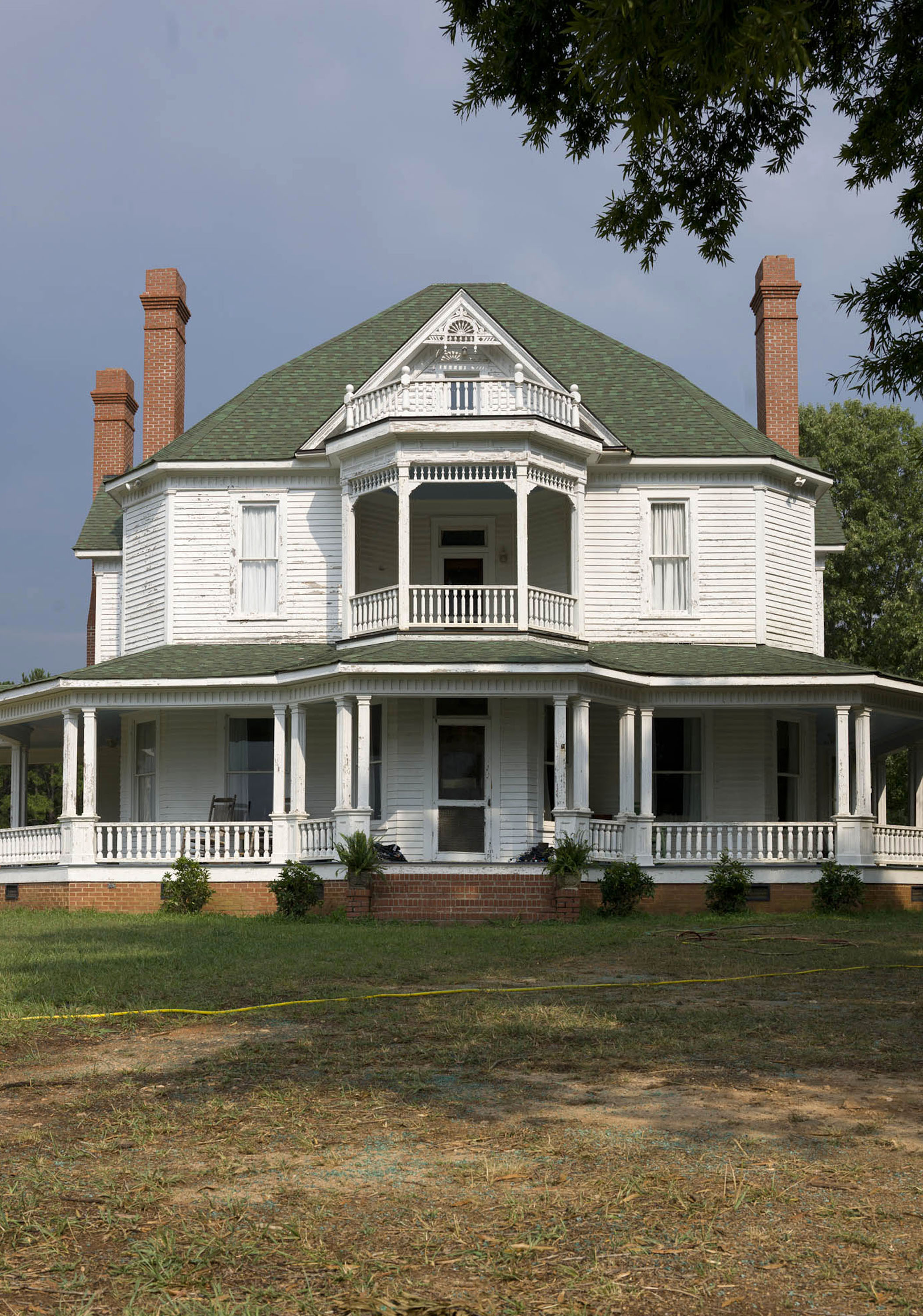
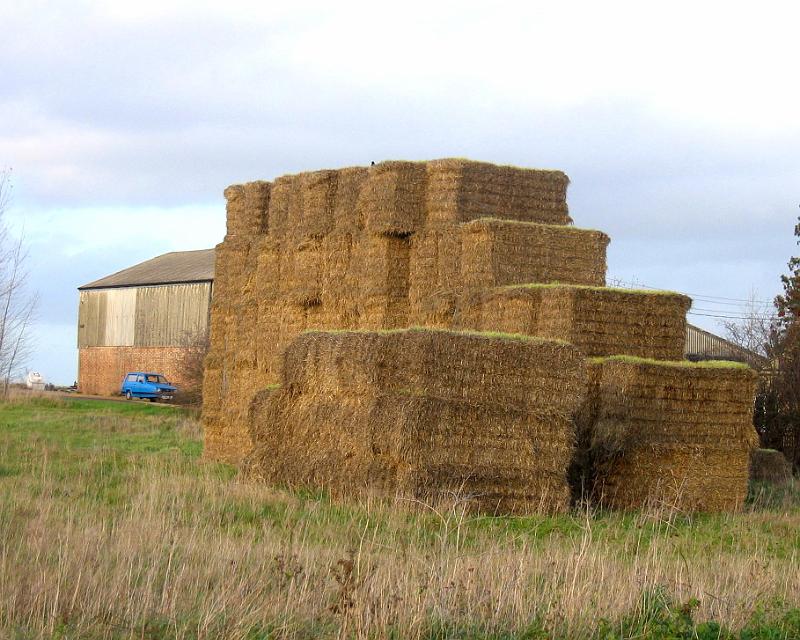
My idea is to create a structured map that could be used in a cowboy themed multi player map. This level will include two focal points; a barn and a house. The idea is that one team will start in the barn and the other in the house the middle of the level will include barriers to hide behind and two or four smaller shacks. This will help to divide the player into fighting areas on the map. I'll add non interactive assets such as shovels and rakes. I may add one tall mill that you can climb to the top of and this can be the strongest focal point because this will be a "Sniping point" and will gain a greater advantage.

Environment setting.
  • Grass
  • Mud
  • Trees
  • Bright Daylight
  • Boulders/rocks

Key locations

  • Barn
  • House
  • Mill


Theme
  • Farm
  • Abandoned


Software
The software ill be using is the UDK game engine, but creating the model themselves in Maya/3Ds max.

Project purpose.

Something to present as a portfolio piece.

I want to create a fun re-playable map that can be also a good level to look at and experience.

I want to learn how to make certain spawn points for teams and for guns, and how to add a scoring system and how to make the terrain ascend and descend..

I want the players to enjoy the map and want to work together to win by maybe taking a key location and holding it out or flushing out the enemy etc. 

Features
  • Re-playable
  • Wide space in middle
  • Many cover objects
  • Fun key locations
  • King of the hill like feature (The Mill)
  • Scoring system
Photo reference
Mix of prop/architectural/lighting/environment.inspiration.
Farm reference.


Roof texture.


Lighting 


Red dead redemption barn


Some concept i found showing mills and environment setting. By Steven Lie http://stevenlie.blogspot.co.uk/2011/04/farm.html


Story
Even though im doing a multi player map there will be a back story to it. The farm will be abandoned and the two teams are fighting over who will own the territory. The two teams need to take this to expand their own territory but get into a fight. This farm will look quite calm a and peaceful but once the teams start fighting the place will look more damaged.

Gameplay
The player objectives would be simple as killing the other team but players may have there own objective for example taking over the other focal point.

Obstacles that stand in the players way maybe things like jump pads that throw you to a well that is hard to get out of. And of course the enemy team.
The set pieces within my game would be short cinematic before the game and end of rounds. such as certain houses blowing up and trees falling in certain places that changes the way the map works.

The choice of routes will be 3 and maybe some secret routes but these routes will be able to be intercepted from other routes.

Sounds

Ambient Sounds
  • Various insects
  • Wind blowing through trees
  • Slight movement of water
  • Clothing flapping in wind
  • Bridge wood creaking
  • Various animals
  • Shooting in the distance
Feedback sounds
  • Out of breath
  • Gradual slowing of footsteps
  • Bullets whiz past
  • Narrative
  • Change of ground

Uniqueness and originality 

The game will be unique because of it more calm brighter look than other shooters and the way the character can explore the level. I feel like im stepping away from the more dark and gruesome games used the usual first/thrid person shooter, as they usually have fire and burning building for the look of war but I've gone for a quiet peaceful scene and the player bring in the violence and terror. The environment is nice to look at and has some cool features such as the pond and i think the player will remember mostly the tower as it would become a strong place to fight over in the level.


Style/refrence.

I think my style is slightly along the line of fable with the amount of grassy areas and wood like buildings.


The way the land slopes down


Fence and grass


Rocks and tress.


Color palette

My color palette would include mostly greens and browns with touches of dark grey,and orange. 
Something like this.


Top down Layout

This is the top down layout of my level showing the paths and the main features i will but into the level


Props and assets

  • Barrel
  • Bucket
  • Lantern
  • Cart
  • Stall
  • Shovel
  • Rake
  • Clothing
  • Rocks
  • Trees
  • Grass
  • Leafs
  • Water
  • Pond
  • Lily pads
  • Ladder
  • Birds
  • Insects
  • Walls

Environment texture list

  • Grass
  • Mud
  • Dirt
  • Water
  • Rock
  • Wall
  • Bridge wood
Evaluation

My level turned out the way i wanted it, realistic and to have good visuals the feedback i got was mostly good but there was an obvious problem of people falling of the map and walking through rocks. Even though the map for me personally is a visual portfolio piece i went back in and added to the height map some hill on the edges of the level so people cant climb up it and fall off. The sounds I used were used well and added a good atmosphere to the level. I'm glad I kept to my top town layout and made three focal points to go to. Many volumes have been used in this level such as water,post process, and ladder volumes which really made the level that much better. Overall I'm pleased with my level and I'm looking forward to learning more about UDK in university along with other engines.


Feedback
Many peers said that my game was too big and walked through rocks and fell out of the map, I have sorted two out of three problems because the rocks have no collision mesh with it in the content browser. But apart from that all is fixed.

Here is my final screenshots of my level.